
Place pages
Tap a place on the map or in a list of results to open its page.
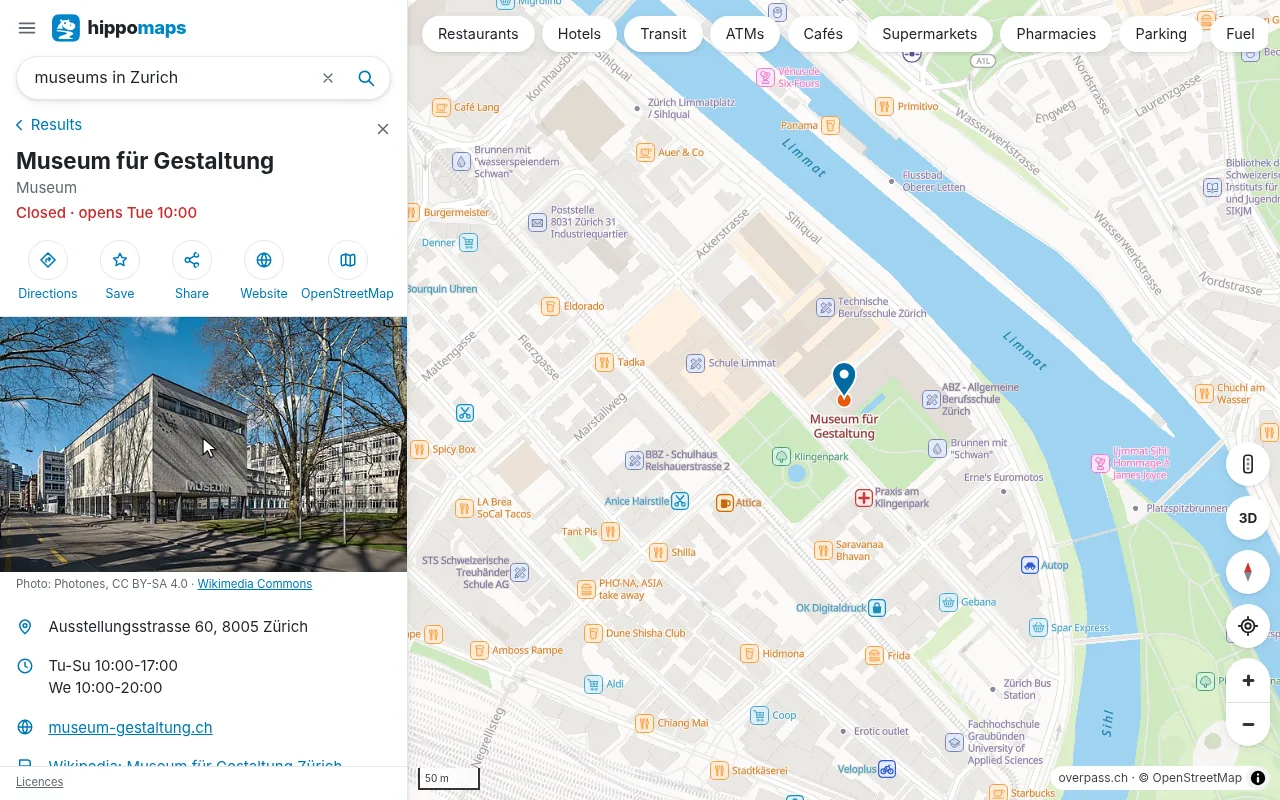
On the page of a place
- a photo or logo from Wikimedia Commons, or else a photo taken there, the picture the website of the place shows when it is shared, or a street picture from Panoramax
- the opening hours, with whether it is open now and when that changes (“Open · closes 20:30”)
- the address, website, phone and e-mail
- wheelchair access, Wikipedia, and every tag of the place in OpenStreetMap
- for a restaurant, café or bar, a link to its menu on its website
When OpenStreetMap lacks the opening hours of a place, hippomaps looks for them on its website. The server of hippomaps fetches the website, so your IP address stays with hippomaps.
Buttons
The buttons under the photo give directions to the place, add it to your list with Save, share a link to it, open its website, call it, and show it on OpenStreetMap.
What is here
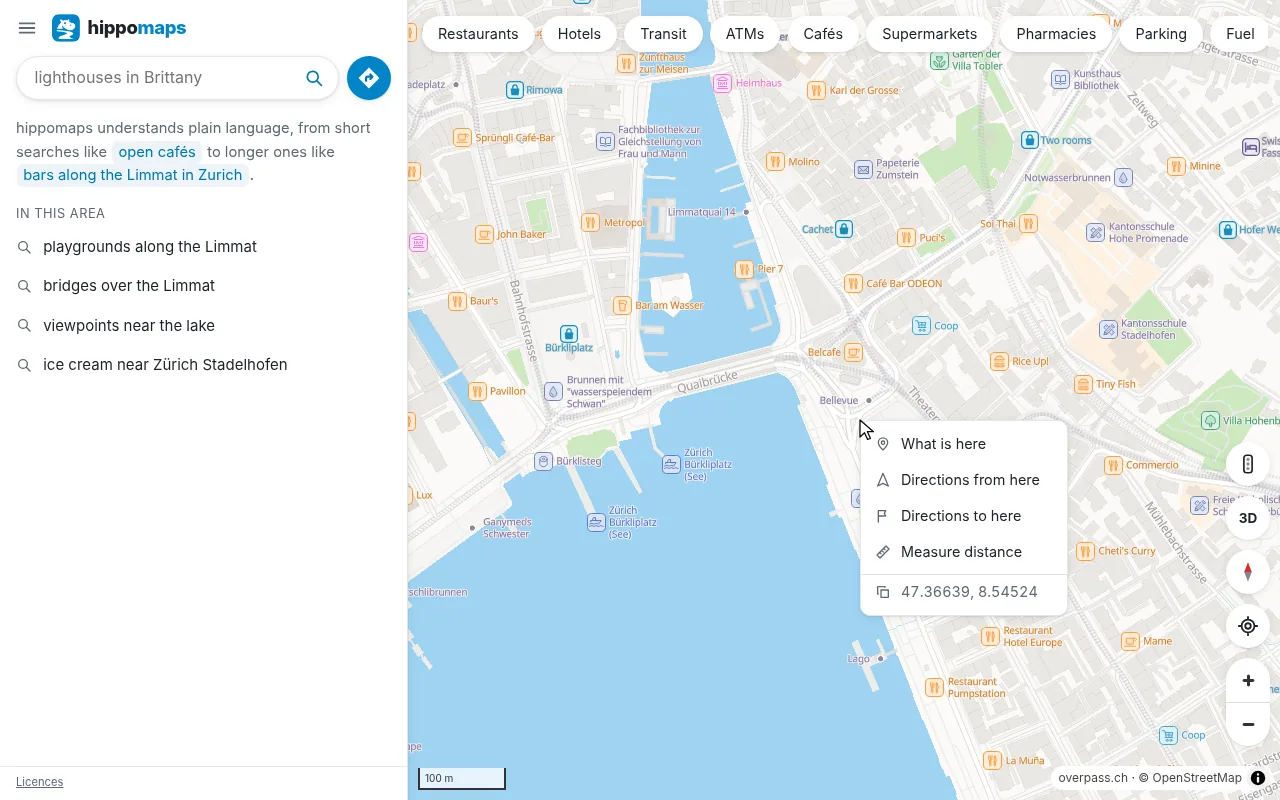
A tap on an empty spot of the map shows the address of the point and the named places around it. On a computer a right click, on a phone a long press, opens a menu with directions from or to the point, Measure distance, and its coordinates.
Popups
Tap a place on the map, or point at it with the mouse on a computer, to see a popup with its name and kind, and its opening hours and address when known.
Mistakes on the map
The data is from OpenStreetMap, which anyone can correct. Feedback in the menu of hippomaps has a link that opens a note on OpenStreetMap at the place you are looking at.