
Spoken navigation
Tap Start under a route by car, bike or on foot. hippomaps follows your location, shows the next turn and speaks it.
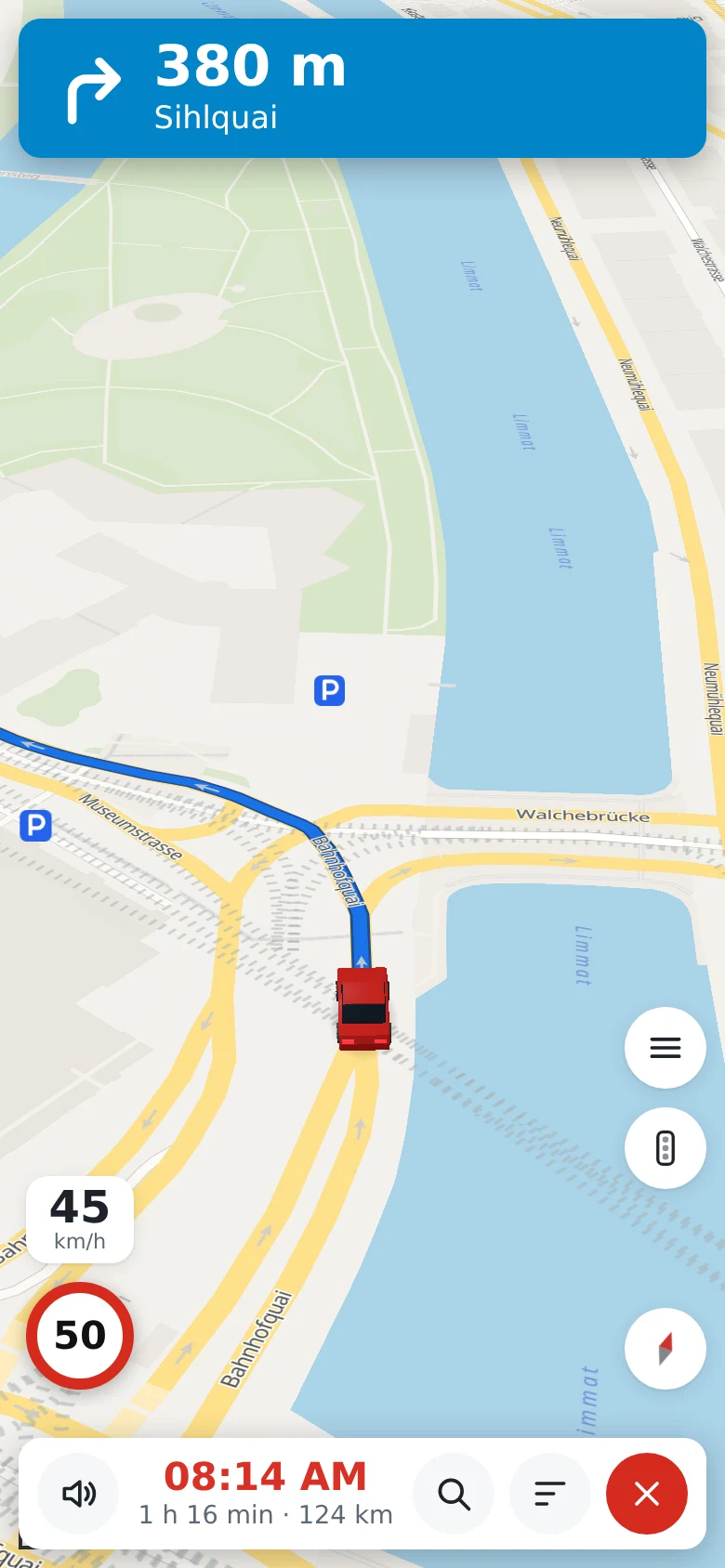
While you travel
- the next turn with its distance and the street, and an arrow on the map at the turn
- by car, the lanes to take and the speed limit
- the time of arrival and the distance left
- a 3D view that turns with you, and Whole route to see all of it
- a new route when you leave this one
Preview drives along the route on the map at three times the speed, before you set off.
Languages
The directions are spoken in Bulgarian, Dutch, English, Estonian, Finnish, French, German, Greek, Hungarian, Italian, Norwegian, Polish, Portuguese, Romanian, Russian, Spanish, Swedish or Ukrainian. Choose one under Directions and voice in the menu, apart from the language of the page.
Without a connection
At Start, hippomaps saves the map along the route on your device, about 15 MB for 25 km by car. When the connection drops in a valley or a tunnel, navigation goes on with its map and its spoken directions. A new route needs the connection again. To turn this off, use the switch Autosave route for offline navigation in the menu. The guide Navigate without a connection has the details.
In the browser or in the app
Navigation works in the browser of a phone while the page is open; hippomaps keeps the screen on. The app for Android goes on with the screen locked or another app in front. It is on the releases page of the project.
The voices are Piper voices, run on the server of hippomaps.